Showing posts with label clarify. Show all posts
Showing posts with label clarify. Show all posts
Thursday, April 2, 2015
clarify,
filter,
high,
pass,
photo,
using
0
comments
Clarify Photo Using High Pass Filter
Clarify Photo Using High Pass Filter
Final view
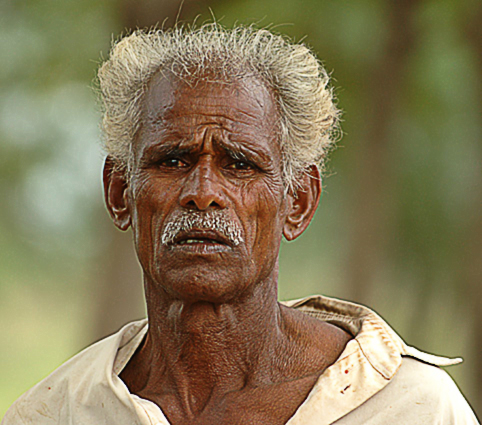
Step 1:
Take Photo to clarify.

Make a duplicate layer of this layer by pressing Ctrl+J.
Take Photo to clarify.
Step 2:
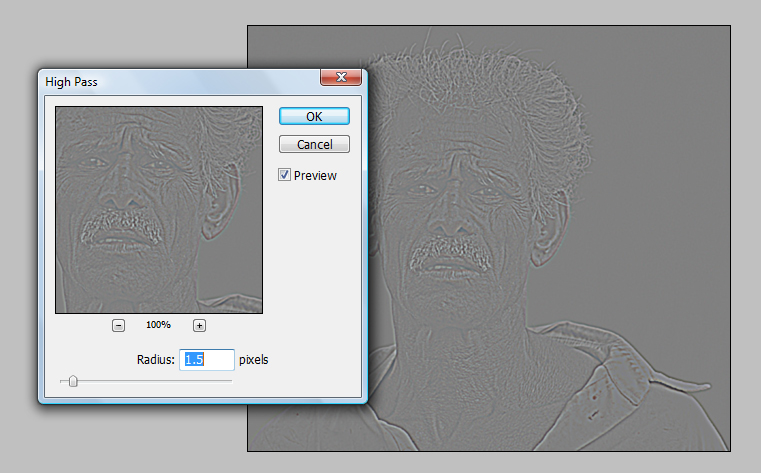
Go to Filter ---> Other ---> High Pass.
Set radius to 1.5 pixels. and hit OK.
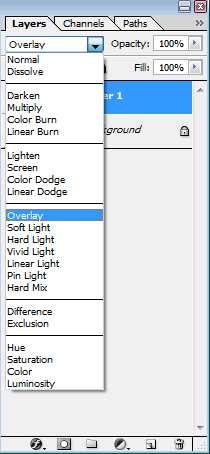
And set the mode of this layer to Overlay.
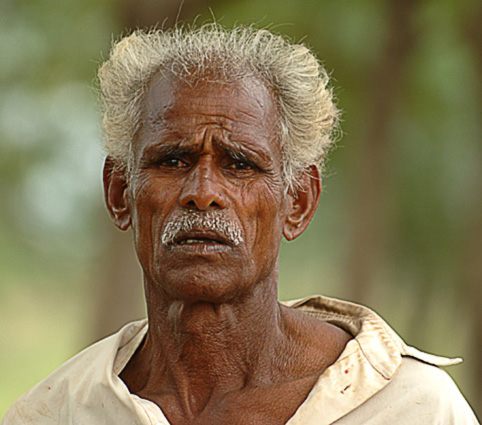
For even Better clarify the image you can just make a duplicate layer of this layer by pressing Ctrl+J.
Done..!!

Subscribe to:
Posts (Atom)


- Follow Us on Twitter!
- "Join Us on Facebook!
- RSS
Contact