Showing posts with label classic. Show all posts
Showing posts with label classic. Show all posts
Wednesday, April 1, 2015
a,
classic,
create,
photo,
vintage
0
comments
Create a Classic Vintage Photo
Create a Classic Vintage Photo
Final view
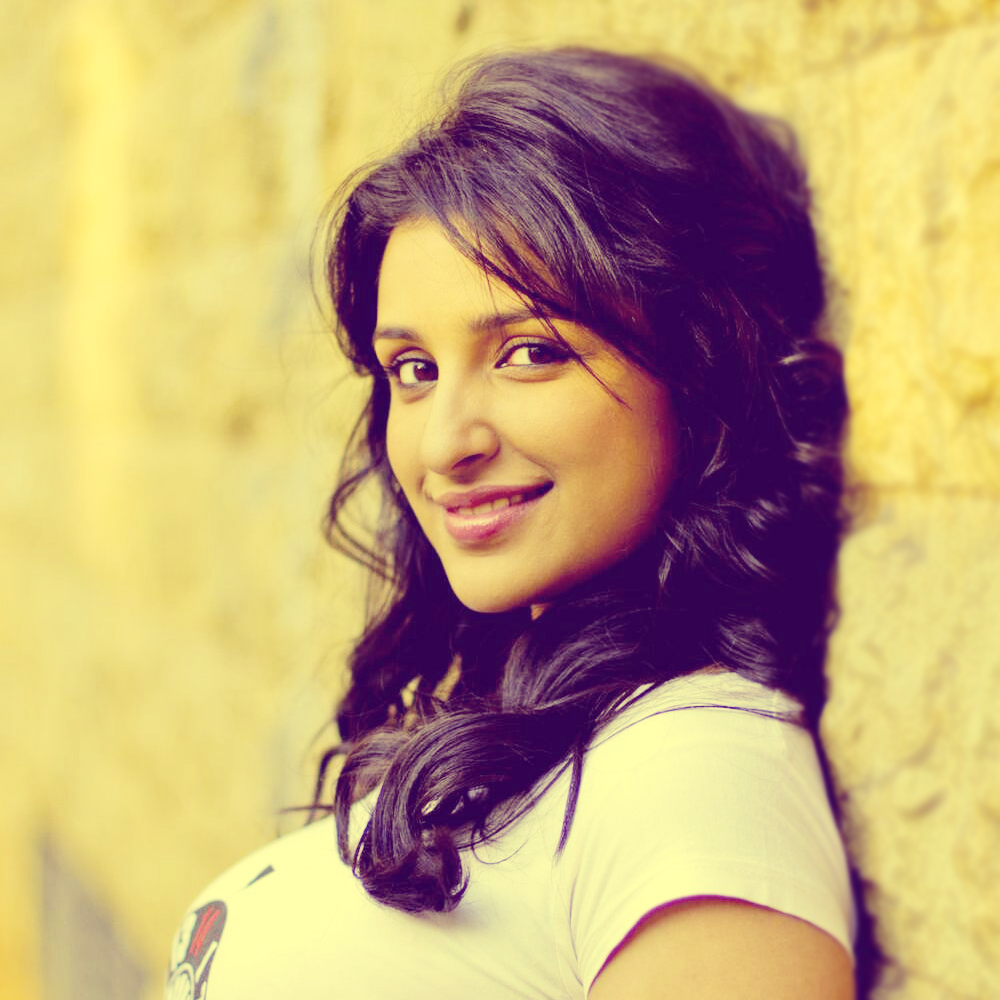
Step 1:
Take a image/photo to edit.
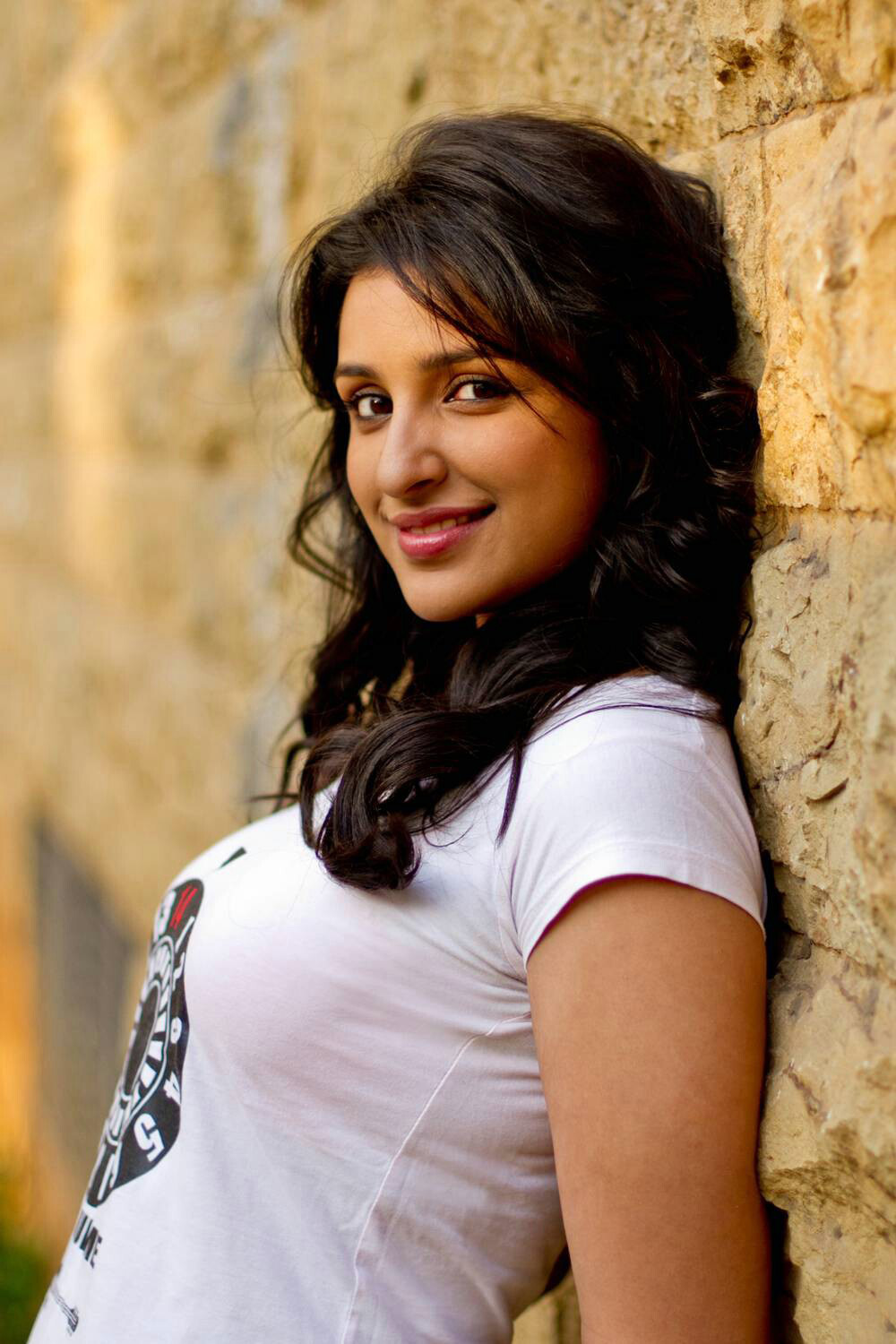
Take a image/photo to edit.
Step 2:
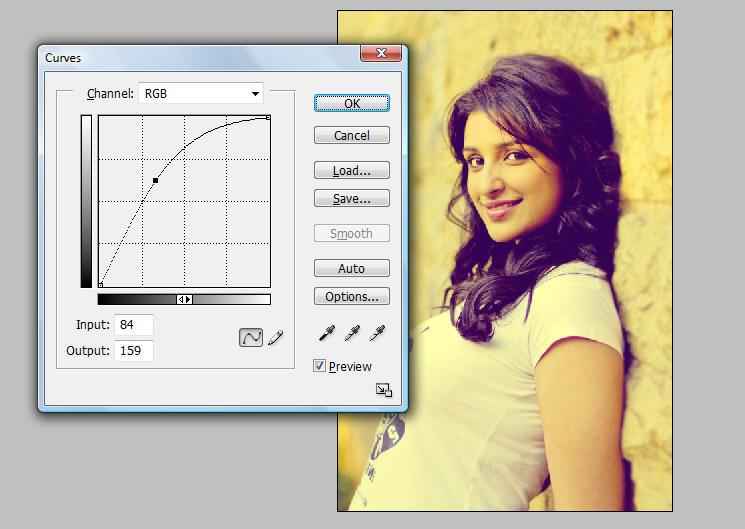
Press Ctrl+M (Curves), increase brightness of the photo.
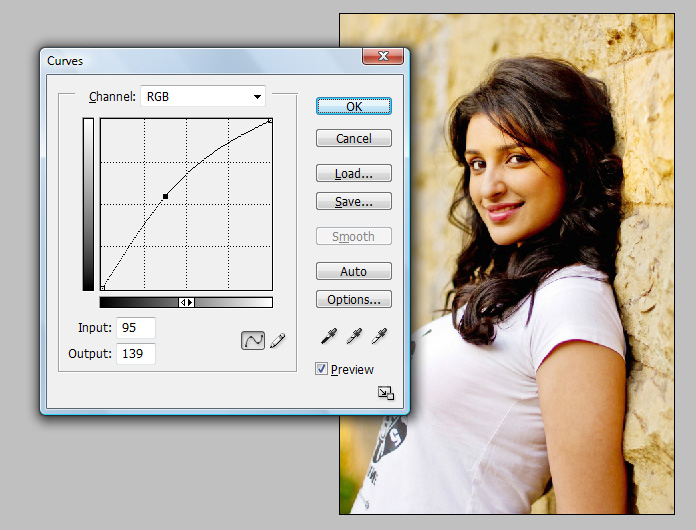
Hit OK.
Step 3:
Make a duplicate layer by pressing Ctrl+J.
Go to Imahe ---> Adjustments ---> Gradient Map.
Select two color combination (Yellow and Blue).
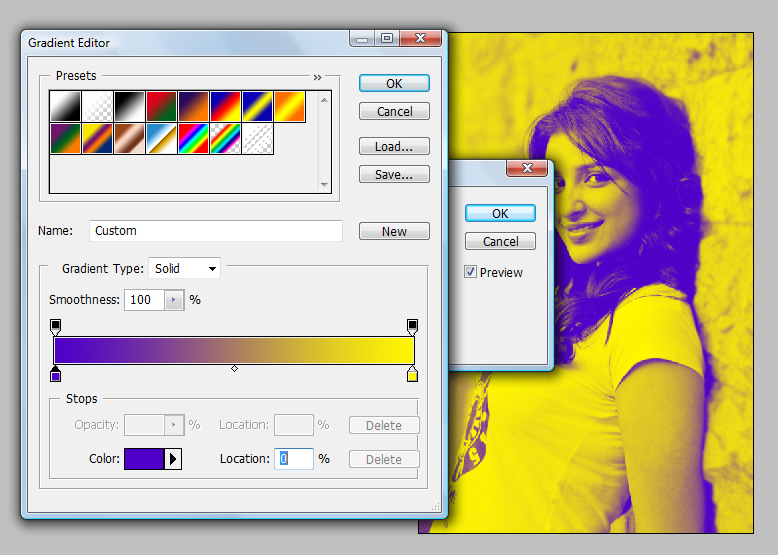
Hit OK.
Set the Opacity of this layer to 30.
Press Ctrl+M (Curves) and add brightness..
Step 4:
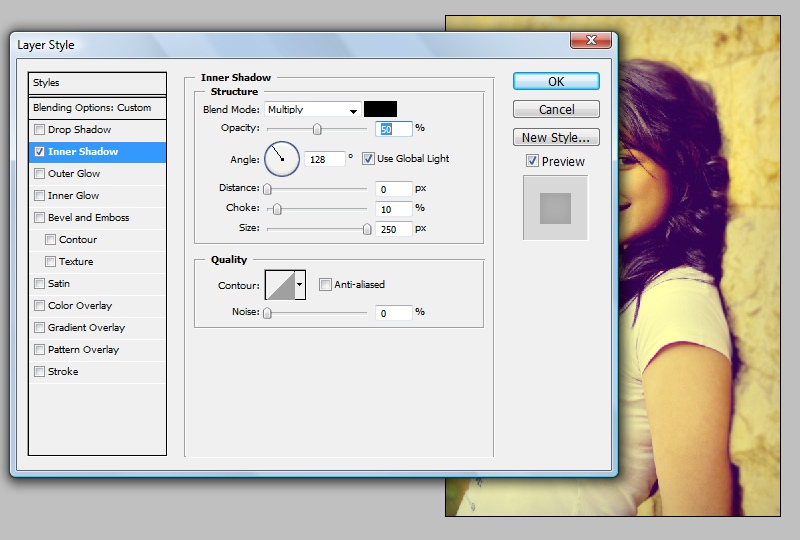
Now go to Blending Options ---> Inner Shadow.
Set Opacity = 50% , Distance = 0px , Choke = 10% , Size = 250px.
Hit OK.
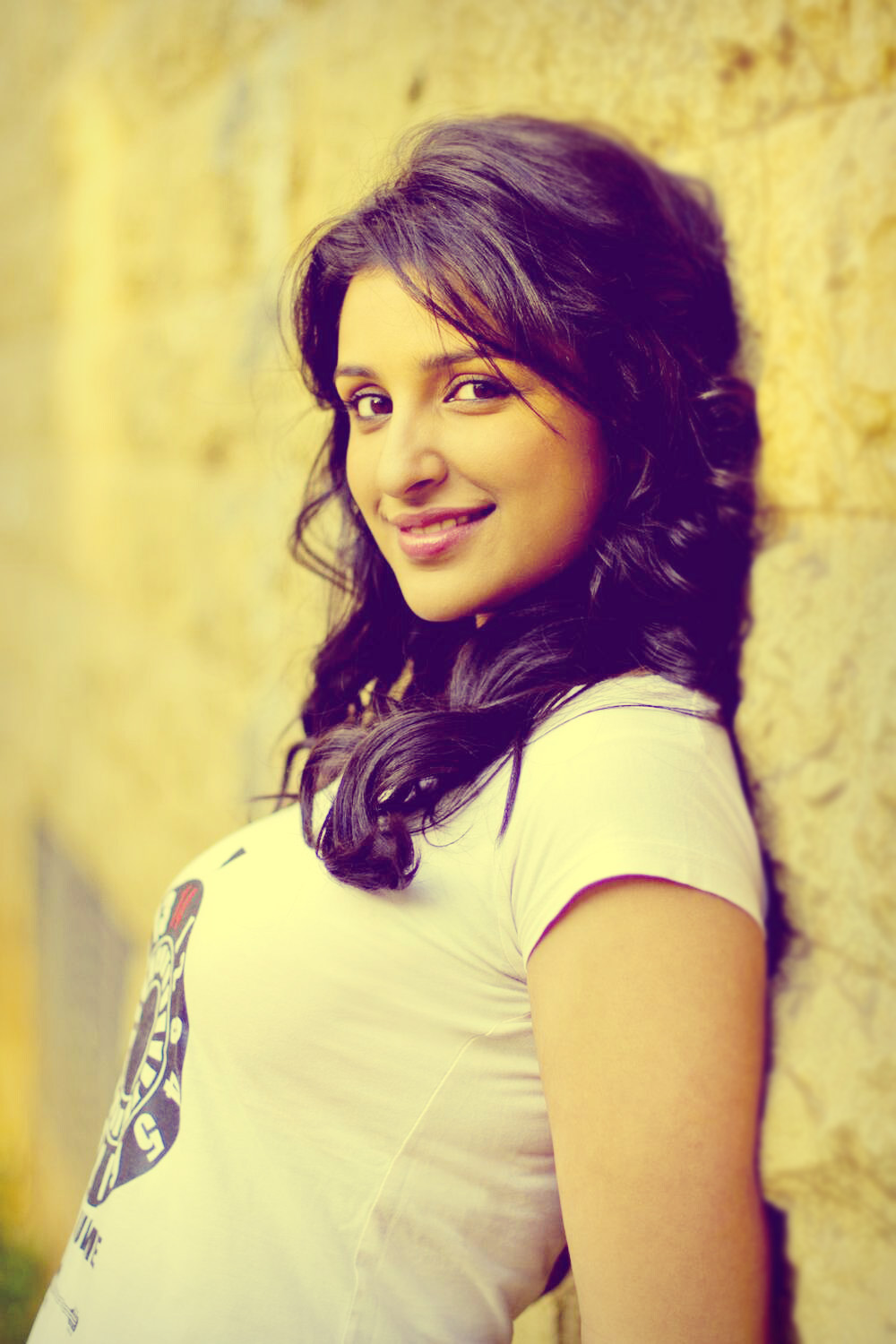
Done..!!

Subscribe to:
Posts (Atom)


- Follow Us on Twitter!
- "Join Us on Facebook!
- RSS
Contact