Showing posts with label steps. Show all posts
Showing posts with label steps. Show all posts
Thursday, April 2, 2015
3,
background,
how,
in,
make,
polygon,
steps,
to
0
comments
How to Make Polygon Background In 3 Steps
How to Make Polygon Background In 3 Steps
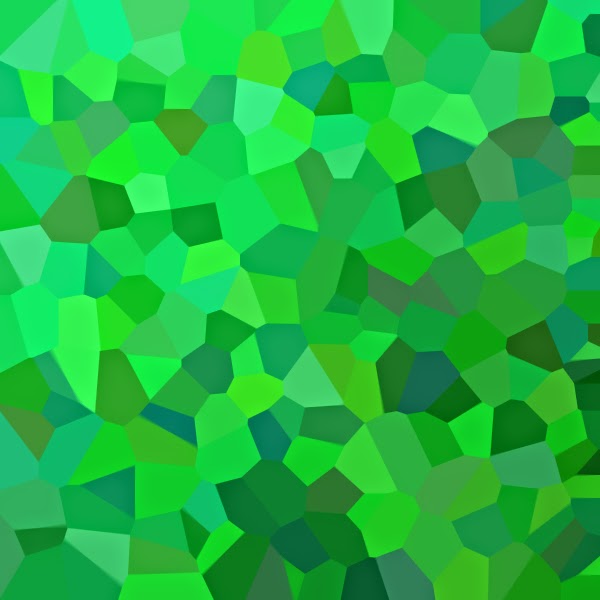
Usung polygonal backgrounds for websites and applications is a new trend. Making polygonal background is quit difficult task, but we can make it our own simple way. polygonal backgrounds looks good for web design an application designs..
Final View
Step 1
- Create a new file
- and add Gradient (Choose your color combination for gradient)
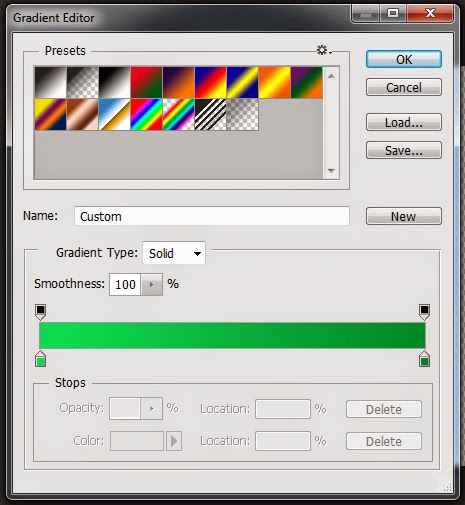

Step 2
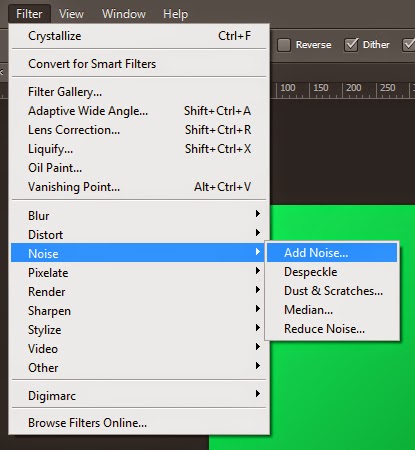
- Now add Noise to image (filter -> Noise -> Add Noise)
By setting amount to 20, Your image will look like this.
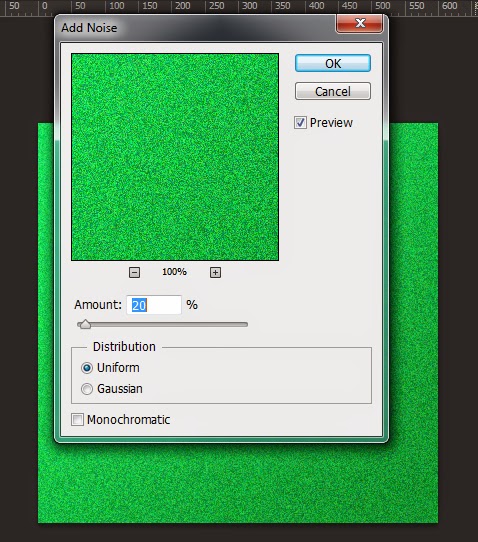
Step 3
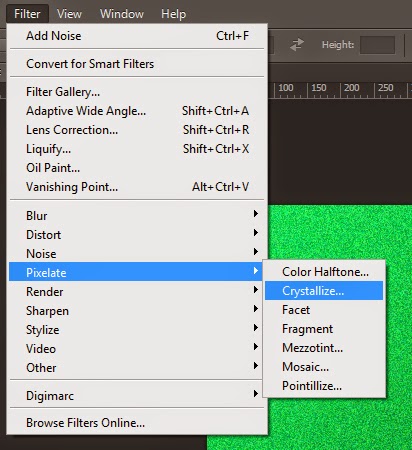
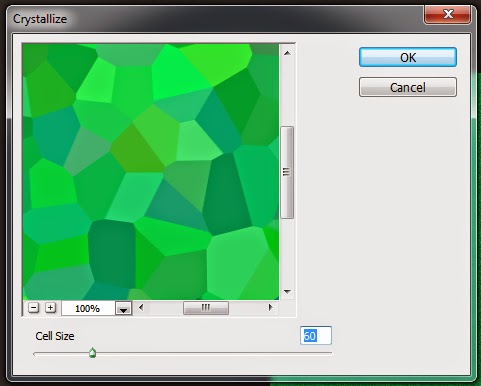
- Again open filter and crystallize the image.
Set cell size to 60 and hot OK
DONE
Make sure that while adding gradient choose color combination carefully. we can make many backgrounds as same..

Sunday, March 29, 2015
4,
create,
in,
instagram,
photo,
steps
0
comments
Create Instagram Photo in 4 steps
Create Instagram Photo in 4 steps
Final view

Step 1:
Take a Image in Photoshop.

Take a Image in Photoshop.
Step 2:
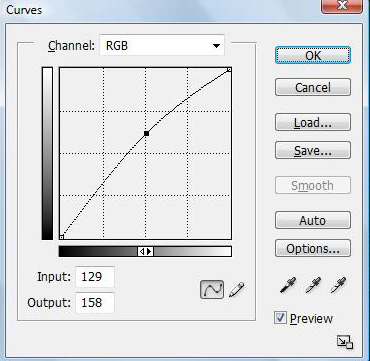
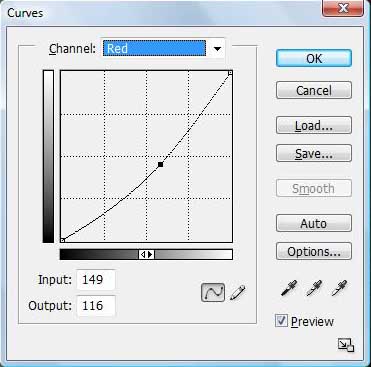
Press Ctrl+M (Curves) and apply following changes..
1) RGB :- Set Input : 129 and Output : 158
2) RED :- Set Input : 149 and Output : 116
3) GREEN :- Set Input : 149 and Output : 116
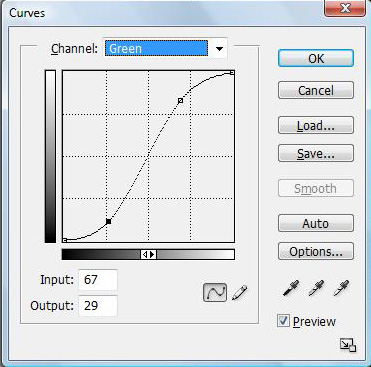
4) BLUE:- Set Input : 97 and Output : 148
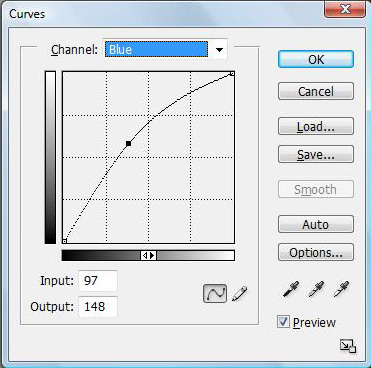
Hot OK and see result.
Done..!!
Subscribe to:
Posts (Atom)


- Follow Us on Twitter!
- "Join Us on Facebook!
- RSS
Contact